
THE MACRO PACK
28 Excel macros, ready to run
Import them once and they work in every workbook you open — plus three macro-enabled files from my VBA videos. Free, instant, yours to keep.
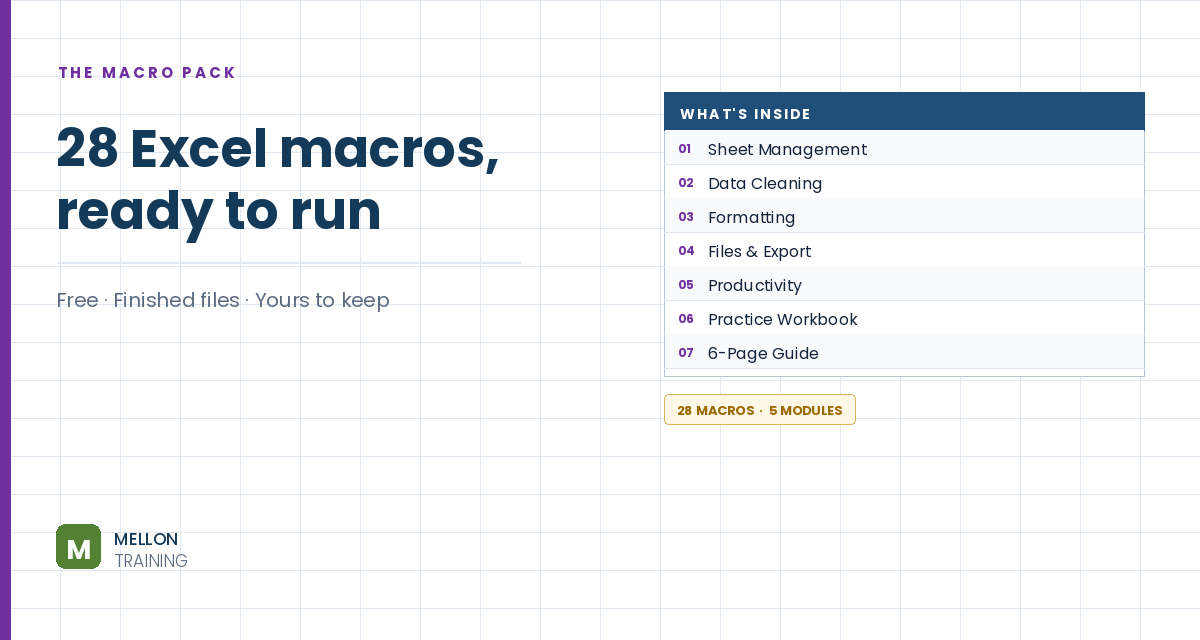
What’s in the pack
- 28 macros in five modules — import in about two minutes
- Every macro commented line by line, so you can adapt them
- Sum and count by cell colour — things Excel can't do alone
- A practice workbook that's broken on purpose
- A six-page guide: what each macro does and when to use it
Send it to my inbox
Free, instant, and yours to keep.
No spam, ever. Unsubscribe with one click.
One practical Excel tip a week.
How to Transfer Data to Another Worksheet Automatically with VBA
Watch the 8-minute video or follow the written steps below. The free macro pack above has 28 more ready-to-run macros.
Step-by-step
You’ll add a button that takes what someone types on one sheet, copies it to the next empty row on another sheet, and clears the entry cells ready for the next record. The example workbook has two sheets, Sheet1 and Sheet2, each with the headers Name and Phone. The method works in every version of Excel.
1. Add a button
On Sheet1, go to Developer > Insert and choose the Command Button from the ActiveX Controls. Draw it on the sheet. Right-click it, choose Properties and set Caption to Transfer. You can change its look in the same window.
2. Open the button’s code
Close the Properties window and double-click the button. The VBA editor opens with an empty click event for the button.
3. Write the macro
The code stores the name and phone from A2:B2, moves to Sheet2, finds the next empty row, writes the values there, then goes back and clears the entry cells:
Private Sub CommandButton1_Click()
    Dim CustomerName As String, CustomerPhone As String

    Worksheets("Sheet1").Select
    CustomerName = Range("A2")
    CustomerPhone = Range("B2")

    Worksheets("Sheet2").Select
    Worksheets("Sheet2").Range("A1").Select
    If Worksheets("Sheet2").Range("A1").Offset(1, 0) <> "" Then
        Worksheets("Sheet2").Range("A1").End(xlDown).Select
    End If
    ActiveCell.Offset(1, 0).Select
    ActiveCell.Value = CustomerName
    ActiveCell.Offset(0, 1).Select
    ActiveCell.Value = CustomerPhone

    Worksheets("Sheet1").Select
    Worksheets("Sheet1").Range("A2:B2").Clear
End Sub
How it finds the next empty row
Offset(1, 0)means one row below the reference cell.- The If checks whether there’s already data under the header. If there is,
End(xlDown)jumps to the last filled cell in the column. ActiveCell.Offset(1, 0)then moves one row further down, to the first empty row, so nothing gets overwritten.
4. Test it
Back on Sheet1, turn off Design Mode on the Developer tab. Type a name and phone number and click Transfer. Check Sheet2: the record is there, and Sheet1 is cleared. Add another and it lands on the next row.
Remember to save the workbook as an Excel Macro-Enabled Workbook (.xlsm) so the code is kept. The sheet names and ranges in the code must match your own workbook.
YOUR NEXT STEP
You can run these. Next: writing your own.
Recording a macro is where everyone starts, and it gets you a long way. The moment you need it to do something slightly different, you have to read what Excel wrote and change it. Open any module in this pack — the comments show you what every line does. That’s the whole leap, and it’s smaller than people expect.
- Built for people who don't think of themselves as programmers
- UserForms, events, Outlook automation, error handling
- Every exercise file included
- 120 lessons, 12 hours · lifetime access · all future updates
30-day money-back guarantee, handled by Udemy. No forms, no questions.
★★★★★ Join 80,000+ students
Andreas Exadaktylos · Microsoft-certified Excel instructor · mellontraining.com
No matter your profession, stop wasting precious hours crunching numbers.
Get the Excel training that builds an unbeatable resume and warp drives your career.