
 Pomolog
 is a pomodoro timer and habit tracker in one. Focus in short sessions, log them in a tap, keep your streak alive and watch the days, months and years add up.
Why Pomolog
Most timers forget your work the moment a session ends. Pomolog keeps every pomodoro, so you can see your habit grow and know when you do your best work.
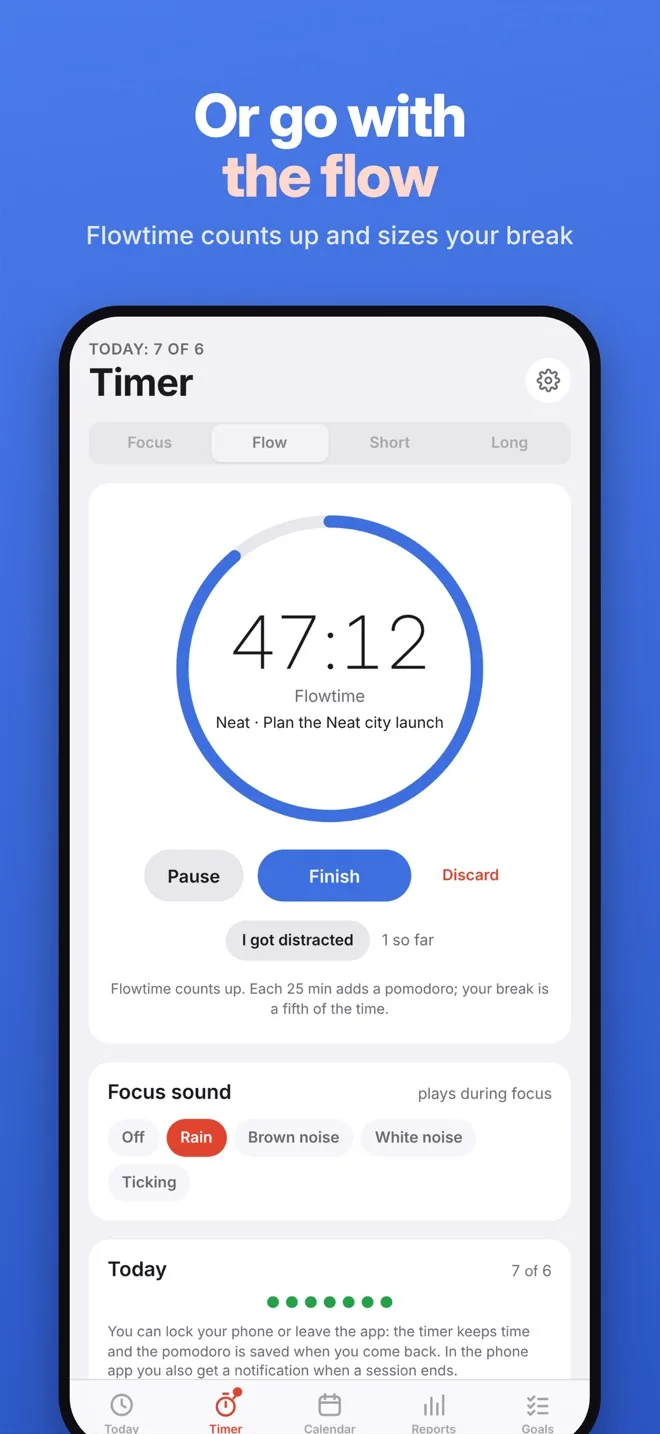
Classic 25-minute pomodoros with short and long breaks, all adjustable. Or switch to Flowtime: count up while you’re in the zone, and your break is a fifth of the time.
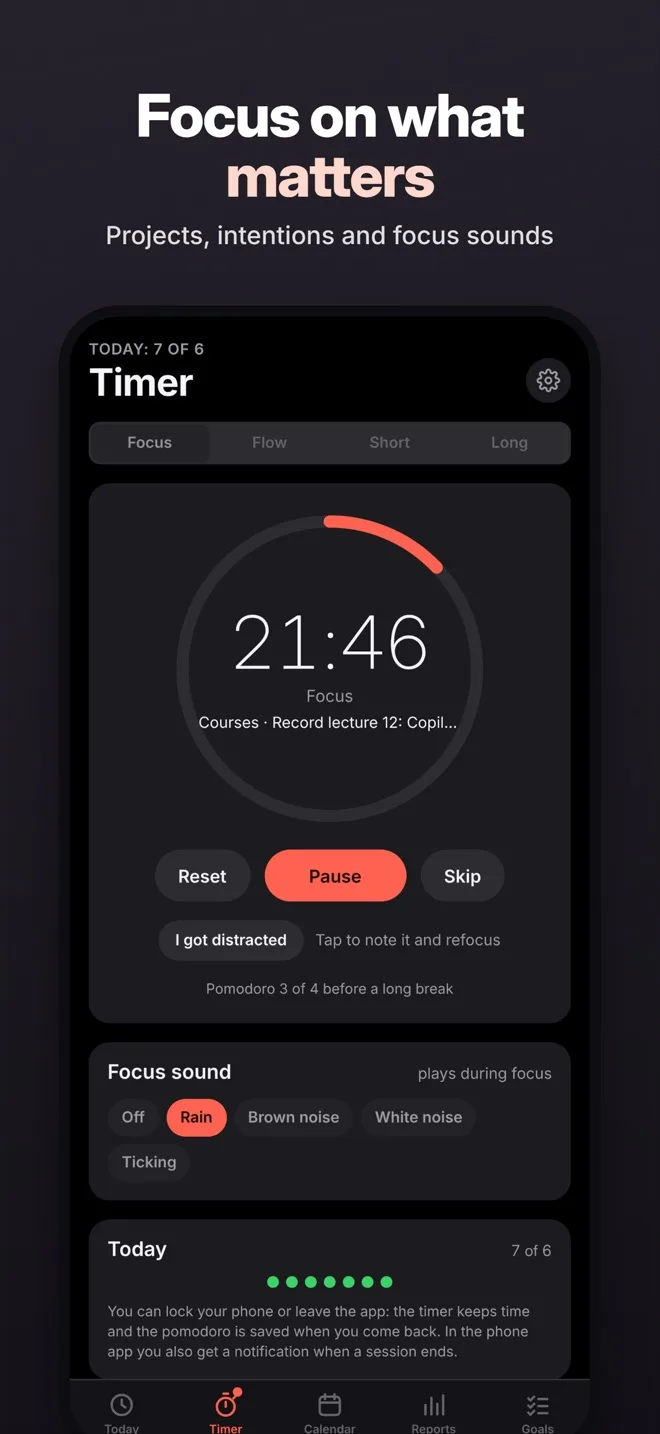
Write down what you’ll work on, play rain or brown noise, and tap “I got distracted” to note an interruption and refocus. The screen stays on while you focus.
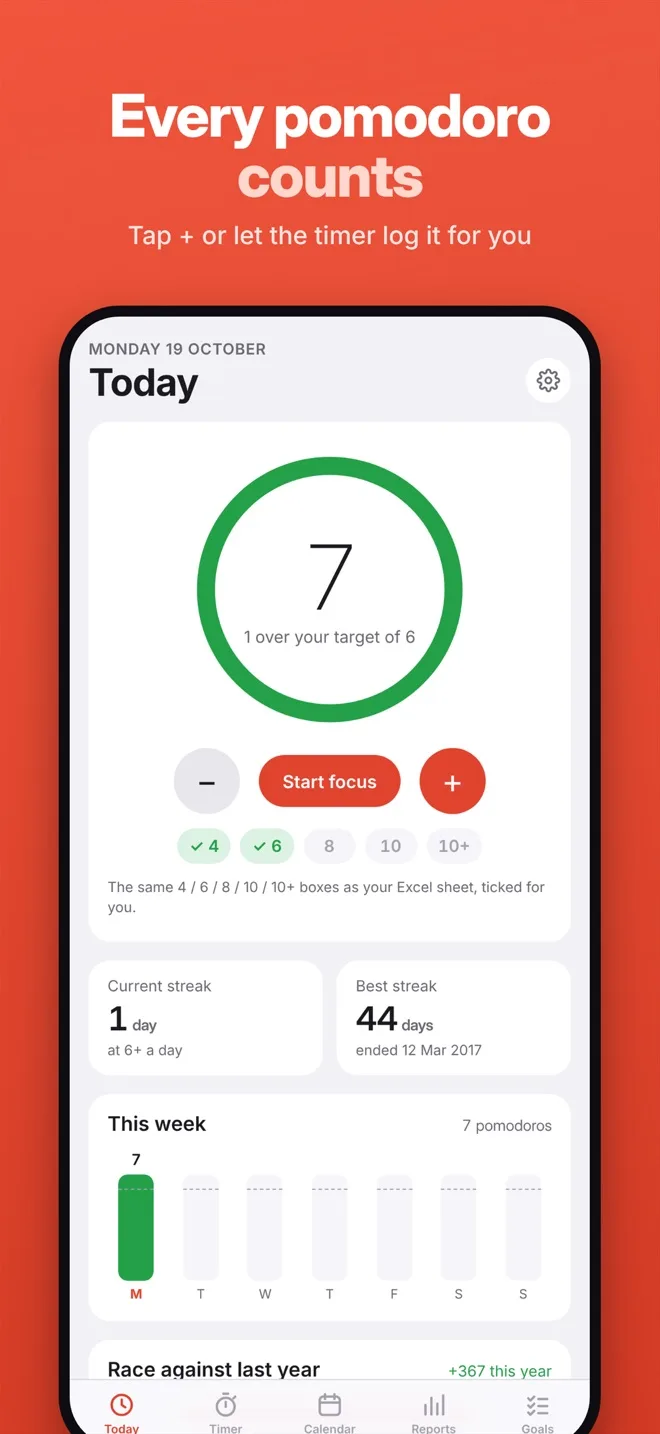
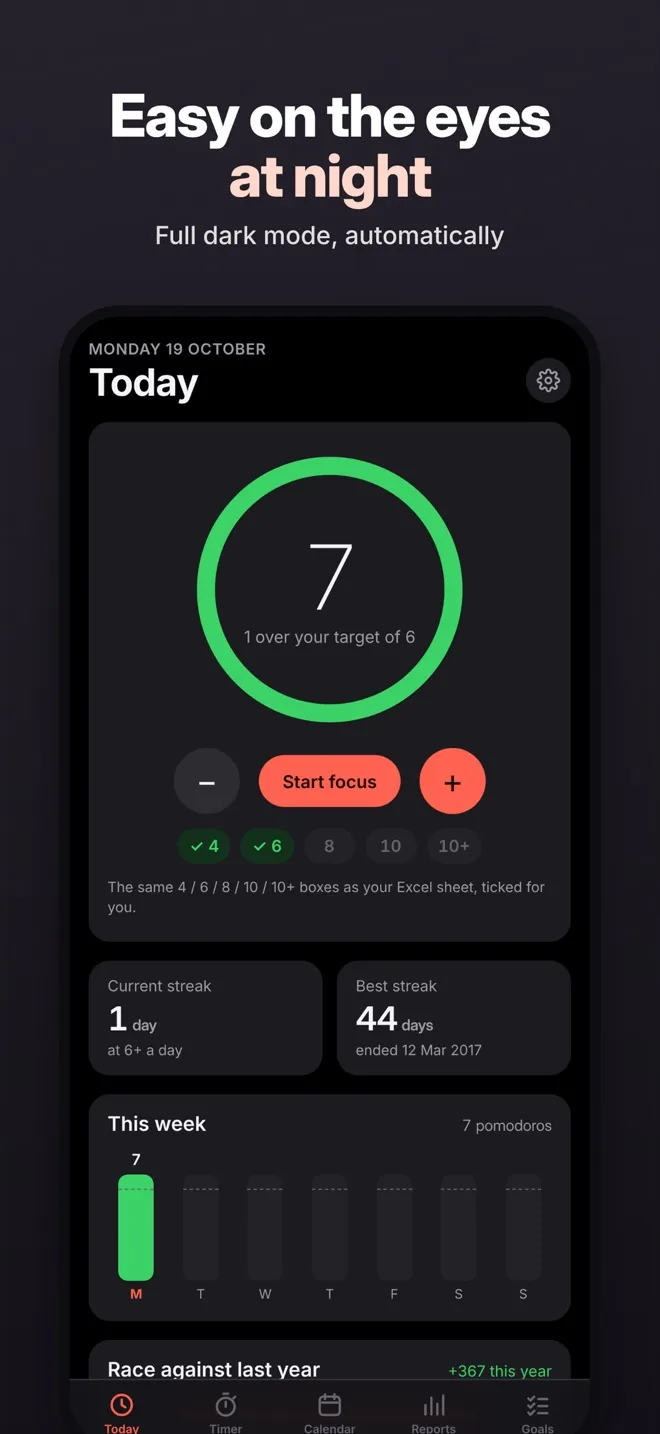
A ring fills as you reach your daily target, and the 4 / 6 / 8 / 10 / 10+ level boxes tick themselves. Keep your streak alive and beat your best one.
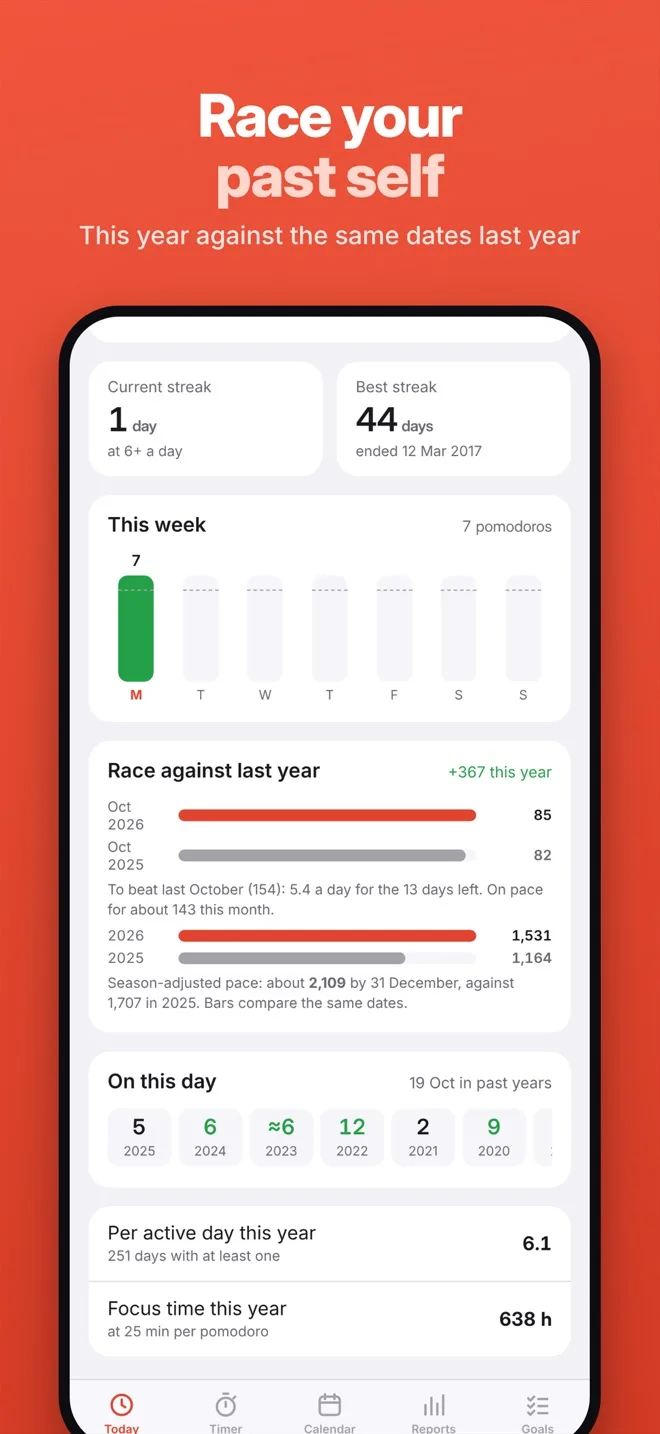
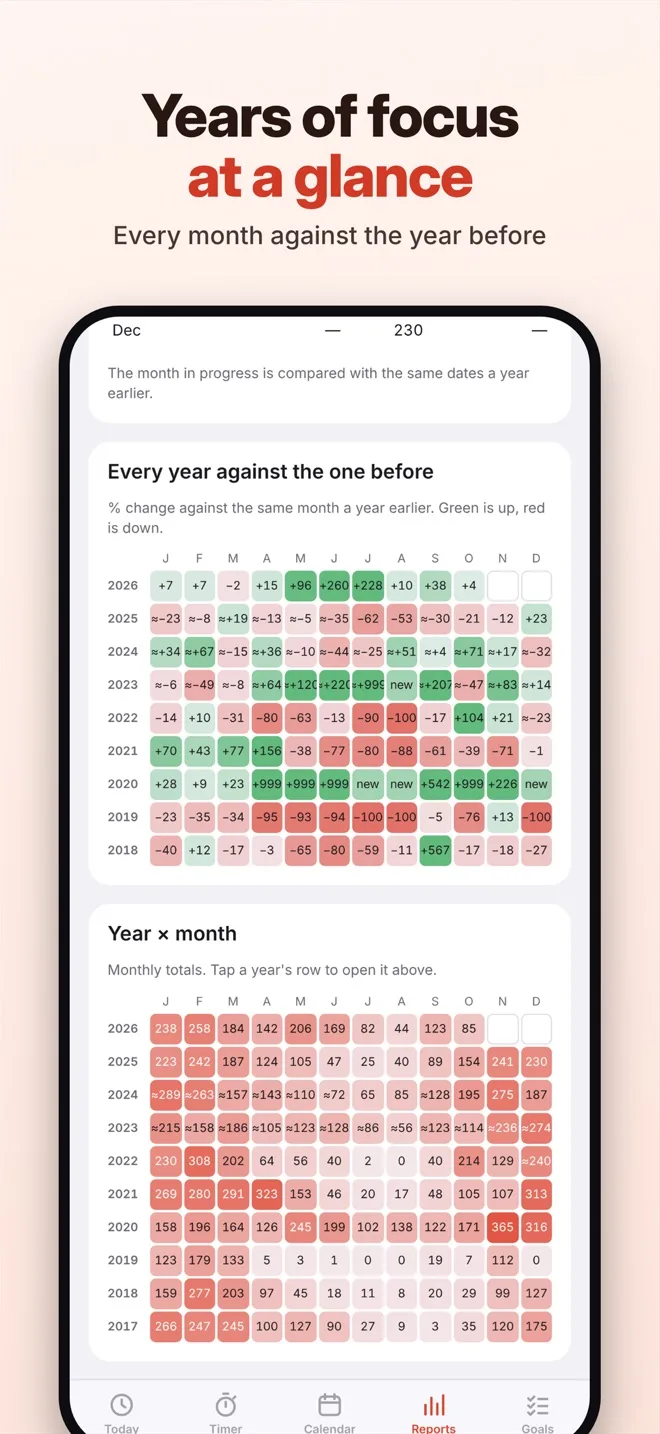
See whether you’re ahead of where you were on the same date last year, and compare every month with the one a year before.
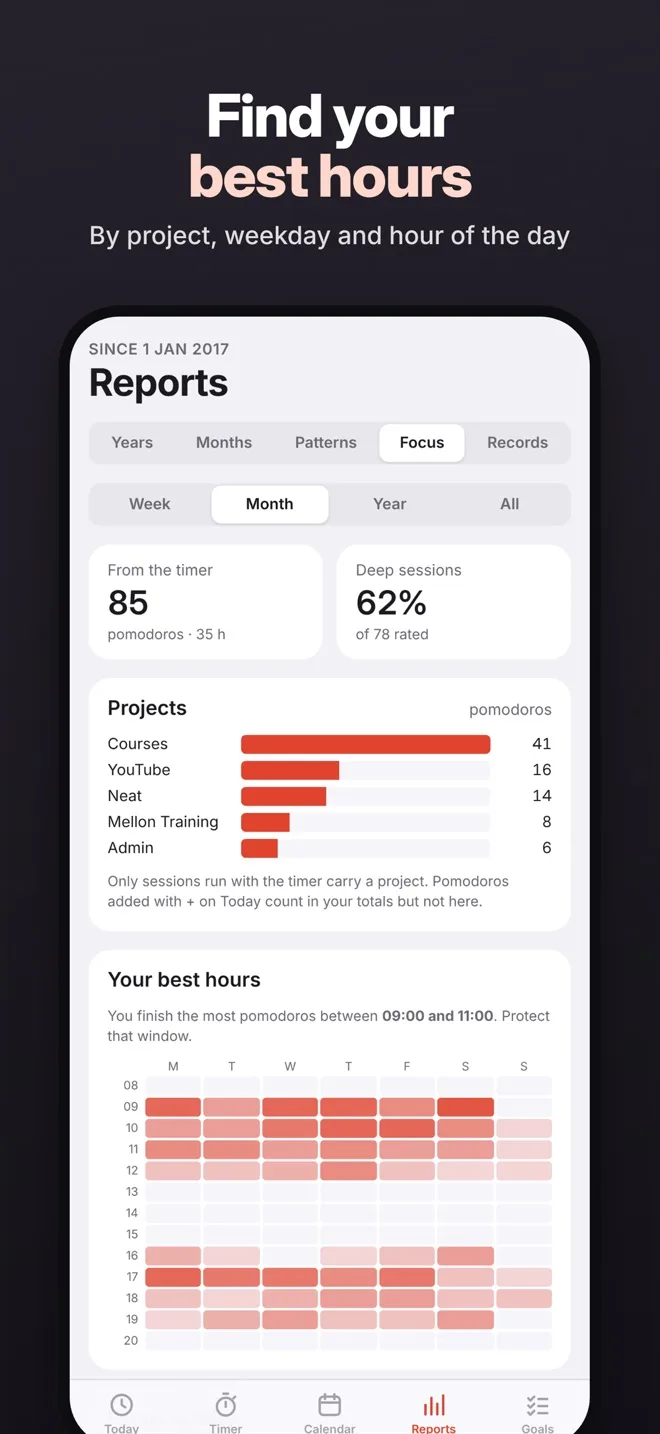
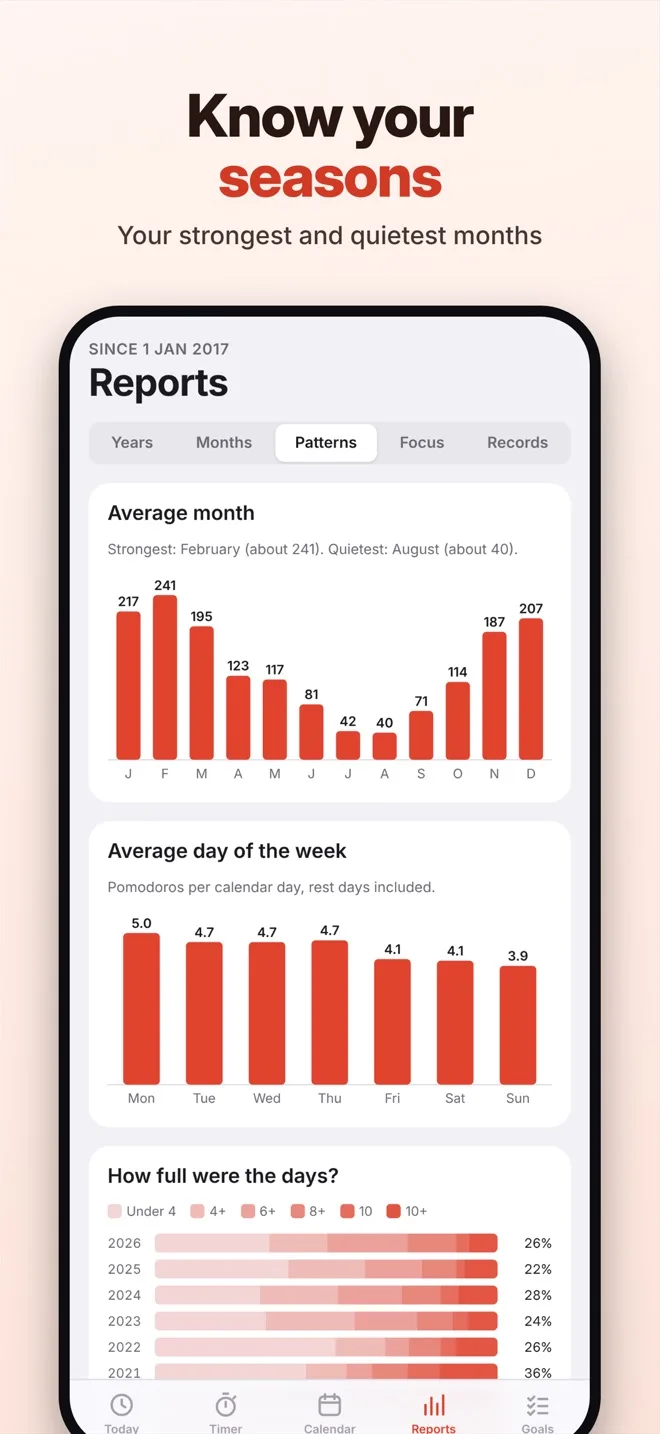
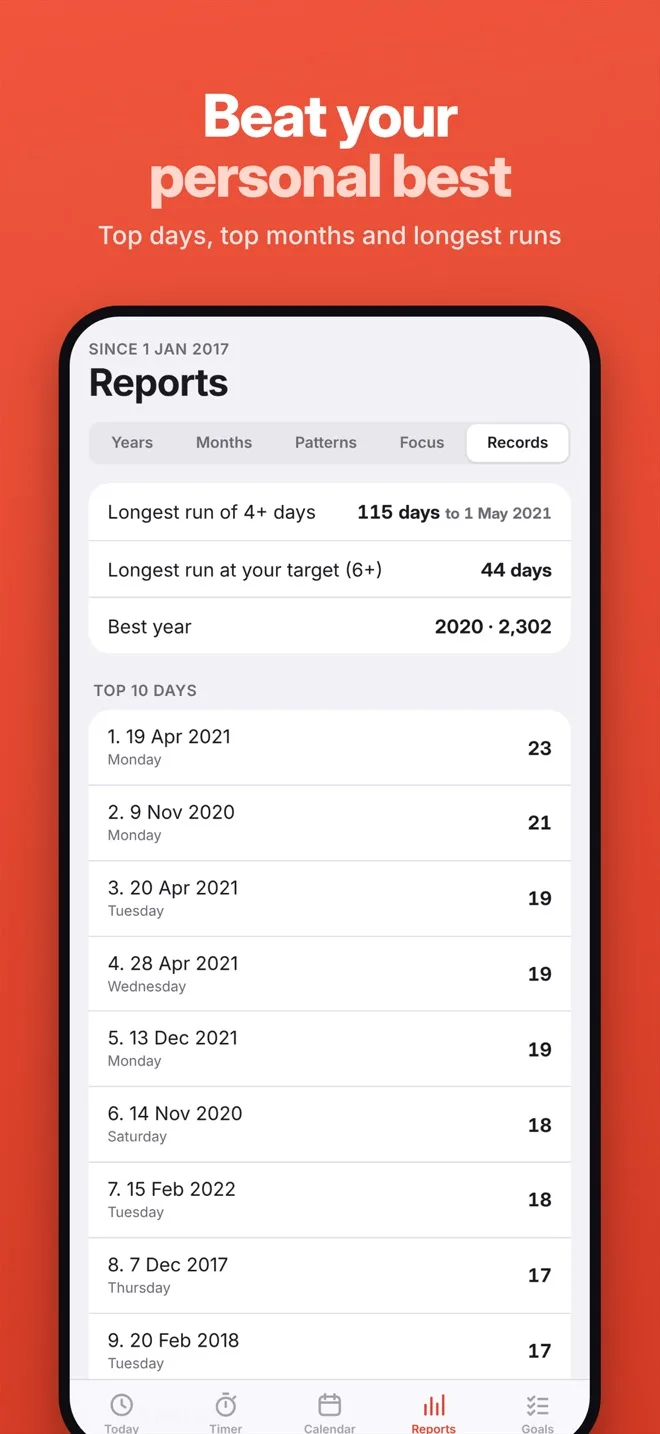
Reports show your best hours of the day, your strongest months, your projects and how focused each session felt. Personal records keep score.
No account, no sign-up, no ads and no tracking. Pomolog works fully offline and never sends your data anywhere.
Take a look
Today, Timer, Calendar, Reports and Goals. Light and dark mode follow your iPhone.
How it works
No set-up and nothing to learn. Open the app and start.
Write down what you’ll work on and tag it with a project, so your reports show where your time really goes.
Work until the timer ends. A notification tells you when it’s time for a break, even with your phone locked.
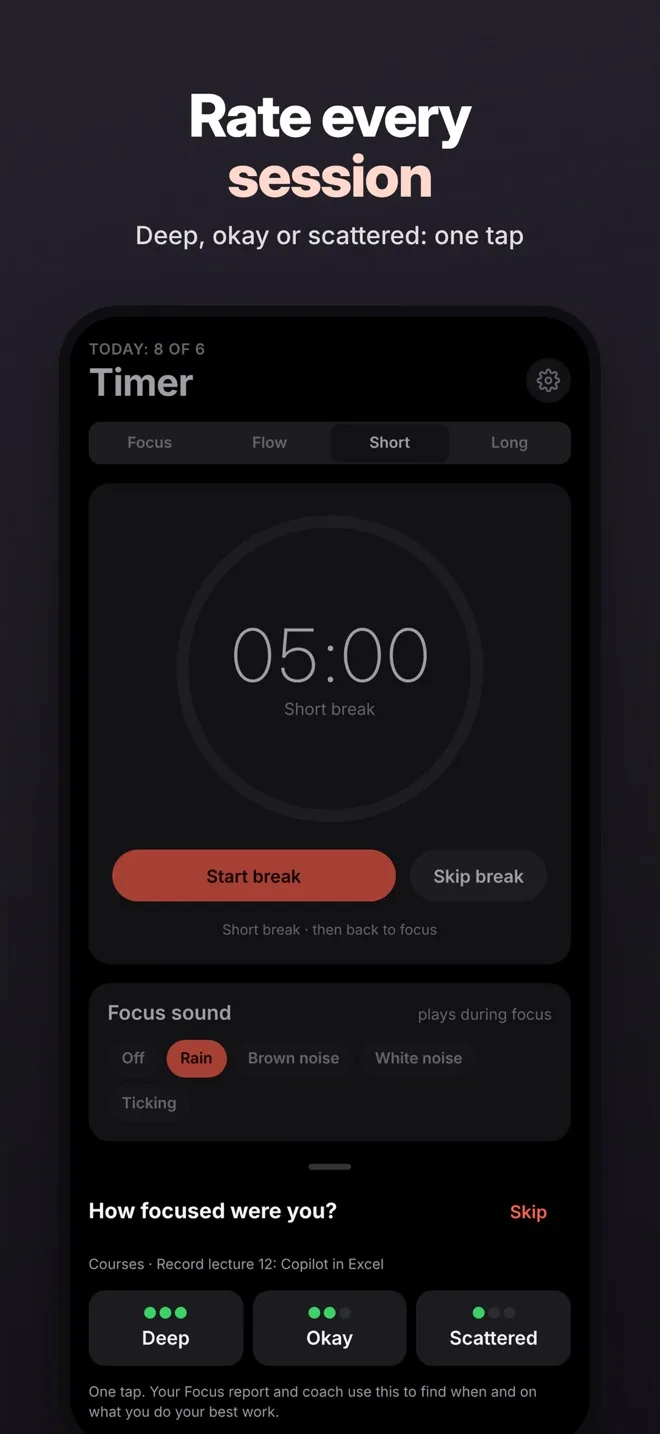
Each pomodoro is logged for you. Rate how focused you felt, then see your day, week, month and year grow.
Made by Mellon Training
I’m Andreas, the instructor behind Mellon Training. I’ve tracked my own pomodoros since 2017. Pomolog is the app I built for that daily habit, with the reports I always wanted.
It’s free, with no ads, and deliberately simple: a timer, a log and honest numbers about your focus.
Export everything whenever you like and keep analysing it your way.
Questions and support
Yes. Pomolog is free to download, with no ads and no account to create.
Pomolog is available for iPhone only at the moment.
Only on your iPhone. Pomolog has no account and no cloud sync, and it never sends your data anywhere. Deleting the app deletes its data, so export a copy first if you want to keep it.
Tap the gear icon, then Download Excel workbook (daily, monthly, yearly, sessions and goals sheets) or Download daily data (a CSV file with one row per day). Save the file to Files, iCloud Drive or email it to yourself.
Tap the gear icon, then Import history and Choose a CSV file. The file needs a date column (YYYY-MM-DD, for example 2026-10-26) and a pomodoros column. Days in the file replace the same days in the app; nothing else is changed, so importing the same file twice is safe.
On the old iPhone, use Download daily data and save the CSV file to iCloud Drive or email it to yourself. Install Pomolog on the new iPhone and import that file with Import history.
Open the iPhone Settings app, tap Pomolog, then Notifications, and turn on Allow Notifications. If a Focus mode such as Do Not Disturb is on, it may silence Pomolog unless you allow it.
While a focus session is running, Pomolog keeps the screen on so the countdown stays in view. When you pause, take a break or stop the timer, your iPhone locks as usual. You can always lock it yourself; the timer keeps running and a notification tells you when the time is up.
For questions, problems or ideas, email melontraining@gmail.com. If something isn’t working, please mention your iPhone model and iOS version and what you were doing when it happened.
Pomolog does not collect any data. Read the full Pomolog privacy policy.
Download Pomolog free and start your first focus session in seconds.
Get it free on the App Store