
THE TIPS PACK
All six methods from the video on the same data, so you can try each one. Plus fifteen more Excel files. Free, instant, yours to keep.
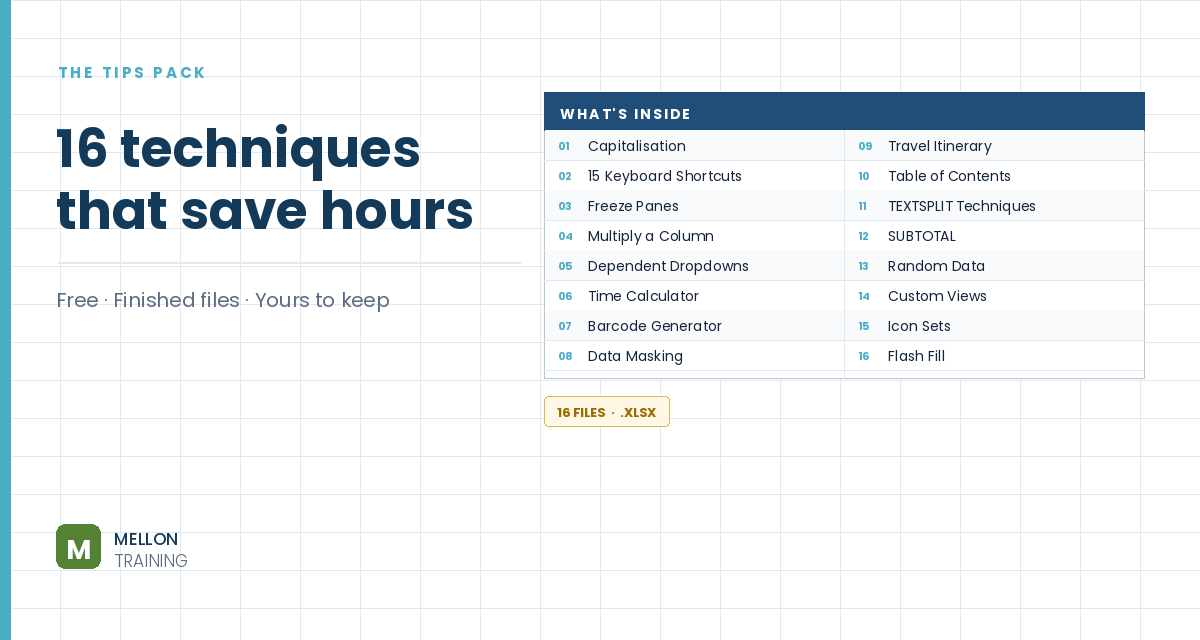
What’s in the pack
Free, instant, and yours to keep.
No spam, ever. Unsubscribe with one click.
One practical Excel tip a week.
Watch the 7-minute video or follow the written steps below. All six examples are in the free pack above.
Flash Fill (Excel 2013 and later) fills a column for you once you show it the pattern with an example or two. Press Ctrl+E and it does the rest. Two rules: the source data needs a consistent pattern, and the results are plain values, so you need to run Flash Fill again if the source changes.
Next to a column of full names, type the first person’s last name (for example Parkins) and press Ctrl+E. Excel takes the text after the last space. If some names are inconsistent (extra middle names, missing spaces), the results will be too: the problem is the data, not Flash Fill.
Type the first person’s first name (Laura) in the next column and press Ctrl+E.
With first and last names in separate columns, type Parkins, Laura and press Ctrl+E. Flash Fill joins the names, swaps the order and adds the comma.
If a name is typed in capitals, type it the way you want it (Alexis) and press Ctrl+E. It fixes every name the same way. You can then replace the source column with the clean one.
For strings that mix digits and letters, such as 72ab, type the numbers from the first one or two examples (72, 819) and press Ctrl+E. If Excel can’t see the pattern from one example, give it a second. The same works for the letters only.
Flash Fill can make several changes in one go. Next to a column of large numbers, type the first one as $80K and press Ctrl+E to add the dollar sign and the K to all of them. Check the results: an inconsistent value, such as one in the millions, can break the pattern.
YOUR NEXT STEP
Ctrl + E has been in Excel since 2013, and it quietly replaces half the text formulas people spend an afternoon searching for. That’s the pattern with the whole category — small things that pay for themselves the first time you need them, which nobody ever sits you down and shows you. The course is about a hundred of them.
30-day money-back guarantee, handled by Udemy. No forms, no questions.
★★★★★ Join 80,000+ students
Andreas Exadaktylos · Microsoft-certified Excel instructor · mellontraining.com
WATCHING ON YOUTUBE?
11 step-by-step courses on Excel, Power BI, Python and AI, all on Udemy with lifetime access.